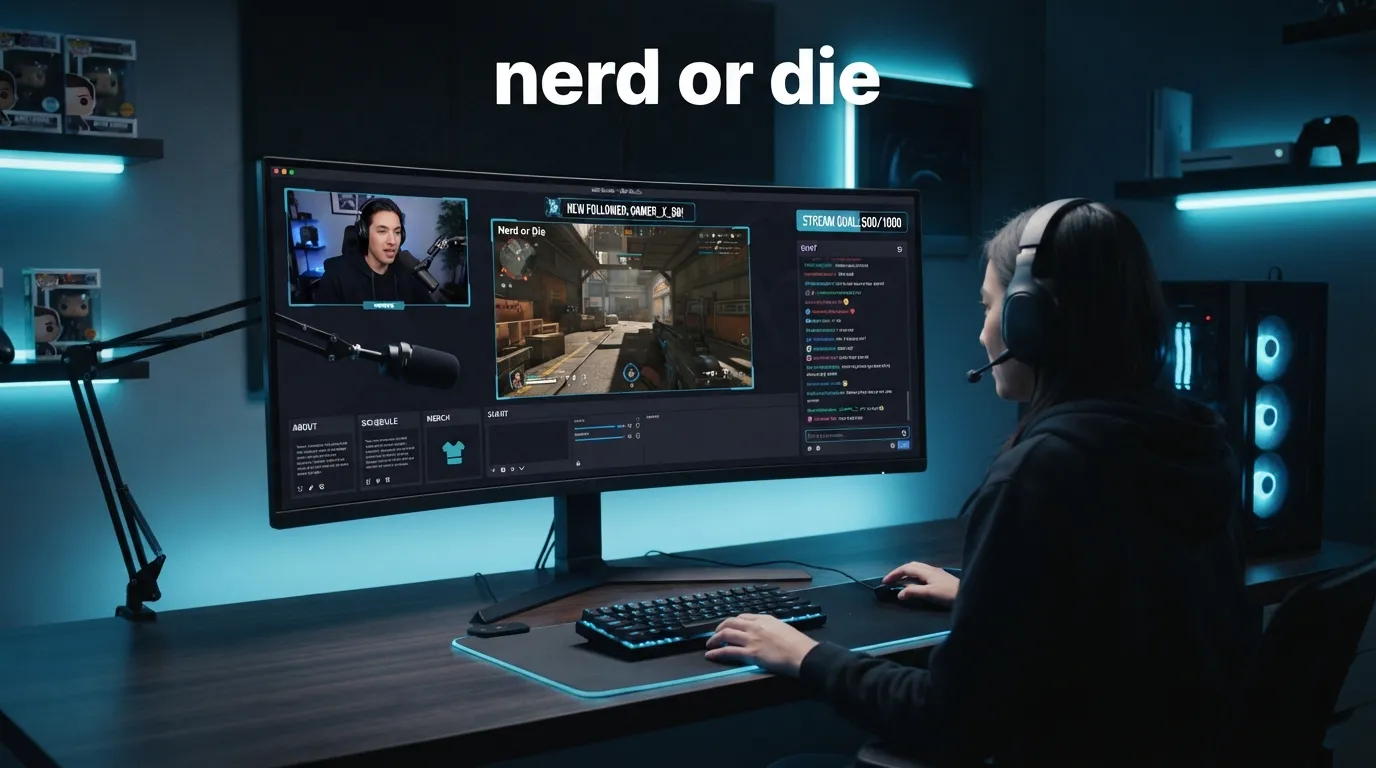
Nerd or Die is a creator-focused brand known for stream overlays, alerts, widgets, templates, and setup resources for live streamers. It mainly helps Twitch, YouTube, and Kick creators make their live streams look more professional.
Have you ever watched a live stream and thought, “How does their screen look so clean?”
That question comes up a lot for new streamers. A plain webcam and game screen can work, but many creators want alerts, scenes, panels, transitions, chat boxes, and a stronger visual style. That is where names like Nerd or Die often appear.
The phrase sounds playful, but it is also a known brand in the streaming space. Many beginners search nerd or die because they want to know what it is, whether it is safe to use, what products it offers, and if it is useful for Twitch, YouTube, or Kick.
The simple answer is that Nerd or Die offers ready-made and customizable stream designs. These can help a channel look polished without hiring a designer from scratch.
This guide explains nerd or die in simple English. You’ll learn what it means, what it offers, who should use it, common mistakes, and how to decide if it fits your stream.
Nerd or Die: Quick Answer
Nerd or Die is a stream design brand for live streamers and content creators. It offers overlays, alerts, widgets, chat boxes, goals, event lists, transitions, panels, and free resources for platforms such as Twitch, YouTube, and Kick.
The official Nerd or Die website says its overlays are made for streamers and creators, with support for tools like OBS Studio, Streamlabs, and StreamElements. It also states that its products work with platforms such as Twitch, YouTube, and Kick.
Simple examples:
- A Twitch creator may use Nerd or Die for animated alerts.
- A YouTube streamer may use it for a full overlay pack.
- A Kick streamer may use it for chat boxes, panels, or scenes.
- A beginner may use its free resources before buying a premium pack.
In short, Nerd or Die helps streamers upgrade the look of their live broadcast.
The Origin / Background of Nerd or Die
Nerd or Die started as a gaming and creator-focused name, then became known for stream assets and tutorials. Today, it is mainly linked with stream overlays, alerts, widgets, templates, and setup guides for people building live-streaming channels.
The official site says Nerd or Die is known for Twitch overlays and Twitch alerts, while also supporting creators on Twitch, Kick, and YouTube. It also says the brand provides content and resources to support the creator journey.
The name itself feels casual and gamer-friendly. It speaks to people who enjoy gaming, streaming, online culture, and digital design. That tone fits the streaming world because many creators want a style that feels fun, bold, and personal.
Nerd or Die is not just one product. It is more like a design resource hub for streamers.
It can include:
- full stream packs
- animated overlays
- stream alerts
- chat box overlays
- goal widgets
- event lists
- profile panels
- Stream Deck icons
- social media popups
- free creator resources
This is why the search term nerd or die usually has brand and product intent. The reader is not asking about grammar. They are trying to understand a streaming tool or brand.
Nerd or Die Explained: Key Differences or Variations
Nerd or Die is best understood as a stream branding resource. Some users search it for overlays. Others search it for alerts, widgets, free templates, or setup help. The right product depends on what part of your stream you want to improve.
| Term | Meaning | When to Use | Region/Context |
|---|---|---|---|
| Nerd or Die | Stream overlay and creator resource brand | When looking for stream designs | Twitch, YouTube, Kick creators |
| Stream overlays | Visual layouts placed on a live stream | When improving stream appearance | OBS, Streamlabs, StreamElements |
| Stream alerts | Popups for follows, subs, tips, or events | When showing viewer actions | Live-stream engagement |
| Widgets | Tools like chat boxes, goals, or event lists | When adding live stream features | Creator dashboards |
| Free resources | No-cost overlays, panels, icons, or tools | When starting on a budget | Beginner streamers |
The Nerd or Die homepage lists categories such as widgets, stream alerts, chat overlays, goals, event list, overlays, transitions, and profile panels.
A full stream pack may include several pieces that match each other. This helps your stream look consistent.
For example:
- starting soon screen
- be right back screen
- ending screen
- gameplay overlay
- webcam frame
- alert animations
- transition effects
- chat box
- panels
That consistency is one reason streamers use template packs instead of building every part alone.
Which Nerd or Die Product Should You Use?
Use Nerd or Die based on your stream goal. If your stream looks plain, start with an overlay pack. If your viewer alerts feel weak, use alert designs. If your chat or goals need better display, use widgets. Beginners can start with free resources first.
Here is the practical advice:
- For new streamers → start with free overlays or a simple stream pack.
- For Twitch creators → look at alerts, panels, overlays, and chat widgets.
- For YouTube streamers → choose overlays that work well with your layout and scenes.
- For Kick streamers → check compatibility before buying or installing.
- For gaming channels → choose a style that matches your game type.
- For Just Chatting streams → use clean overlays that do not cover your face or chat.
- For professional creators → choose a full pack with matching scenes and branding.
Nerd or Die says its overlays are compatible with Twitch, Kick, and YouTube, and optimized for OBS Studio, StreamElements, and Streamlabs.
A good beginner setup may include:
- Starting soon screen
- Main live scene
- Webcam frame
- Chat box
- Follow and subscriber alerts
- Be right back screen
- Ending screen
You do not need every feature on day one. Start clean. Add more once your stream needs it.
Common Mistakes With Nerd or Die
Most mistakes happen when beginners buy or download a pack before checking their software, platform, file type, and layout needs. A stream design should help the viewer, not cover the game, hide the chat, or make the screen feel crowded.
| Mistake | Correction | Why It Happens |
|---|---|---|
| Buying a pack without checking software support | Check OBS, Streamlabs, or StreamElements support first | Beginners rush the design step |
| Adding too many widgets | Use only what viewers need | New streamers want everything at once |
| Choosing style over readability | Keep text, alerts, and chat easy to see | Designs can look cool but hard to read |
| Ignoring mobile viewers | Test your layout on smaller screens | Many viewers watch on phones |
| Not testing alerts before going live | Test every alert source first | Setup feels done before it is checked |
Mistake 1: Not checking compatibility
Before using any overlay pack, check whether it supports your software. Nerd or Die has setup help for OBS Studio, Streamlabs, and StreamElements. Its setup guide includes quick links for alerts, chat boxes, event lists, goals, stinger transitions, scenes, and manual installs.
Mistake 2: Making the screen too busy
A good stream design should support the content. It should not fight with it.
Avoid adding:
- too many animations
- large alert boxes
- hard-to-read fonts
- oversized chat boxes
- bright colors over gameplay
- panels that do not match your brand
Mistake 3: Not testing before publishing
Always test your overlay before going live.
Check:
- alert sound
- alert size
- scene transitions
- webcam placement
- chat box position
- game visibility
- stream resolution
A design can look great in preview but feel distracting during a real stream.
Nerd or Die in Real-World Examples
Nerd or Die is used in real streaming workflows when creators need better visuals, alerts, scenes, or widgets. It fits creators who want a faster setup than custom design, but still want a polished and branded live stream.
Professional email example
Hi Alex,
I’m updating the stream layout this week. I’m testing a Nerd or Die overlay pack to improve our alerts, chat box, and starting screen before Friday’s live session.
YouTube video description example
In this tutorial, I’ll show how I set up my Nerd or Die overlay in OBS Studio, including scenes, alerts, and browser sources.
Social media post example
New stream look is live. Fresh alerts, clean scenes, and a better chat box using Nerd or Die.
Formal review example
Nerd or Die is a practical option for streamers who want ready-made visual assets with support for common streaming software.
Beginner streamer example
I used free Nerd or Die resources first, then upgraded once I knew what style fit my channel.
Nerd or Die: Data, Trends & Usage
The search intent behind “nerd or die” is mostly navigational and informational. Some users want the official website. Others want reviews, free overlays, setup guides, alerts, widgets, or help deciding whether it is worth using for their stream.
People may search this keyword when they need:
- Twitch overlays
- free stream overlays
- OBS setup help
- Streamlabs alert setup
- StreamElements imports
- Kick stream overlays
- YouTube stream graphics
- animated alert packs
- stream branding ideas
The official Nerd or Die site says it has been trusted by over 4 million creators since 2011. It also says its products are designed to help streamers upgrade overlays and get set up in minutes.
This topic matters because streaming is visual. Viewers may decide quickly whether a channel feels serious, clear, or worth following. A strong overlay does not replace good content, but it can make the stream feel more organized.
The key is balance.
A clean stream design should:
- match your content
- guide the viewer’s eyes
- keep alerts readable
- protect gameplay space
- support your brand
- avoid visual clutter
Nerd or Die Comparison Table
A simple comparison helps you understand where Nerd or Die fits. It is not the only way to design a stream, but it is useful when you want ready-made assets, quick setup, and matching visual elements without building everything from scratch.
| Term/Variant | Meaning | Region/Context | Best Used When |
|---|---|---|---|
| Nerd or Die | Stream design brand | Streaming and creator content | You want overlays, alerts, widgets, or templates |
| OBS Studio | Streaming and recording software | Creator setup | You want free, flexible broadcast control |
| Streamlabs | Streaming software and creator tools | Beginner to intermediate streamers | You want easier setup and built-in tools |
| StreamElements | Browser-based overlay and alert platform | Streamers using cloud overlays | You want imported overlays and widgets |
| Custom designer | Person who makes unique assets | Professional branding | You want a fully custom stream identity |
| Free overlays | No-cost stream assets | Beginner setup | You want to start without spending money |
FAQs About Nerd or Die
Q: What does Nerd or Die mean?
A: Nerd or Die is the name of a streamer design brand. It is known for overlays, alerts, widgets, templates, tutorials, and free resources for content creators.
Q: What is Nerd or Die used for?
A: It is used to improve live stream visuals. Streamers use it for scenes, alerts, chat boxes, goal widgets, event lists, transitions, panels, and overlay packs.
Q: Does Nerd or Die work with OBS Studio?
A: Yes. Nerd or Die says its overlays are compatible with OBS Studio and other popular streaming tools. Its setup guide also includes OBS Studio quick install and manual setup sections.
Q: Does Nerd or Die work with Streamlabs and StreamElements?
A: Yes. The official setup guide includes Streamlabs and StreamElements sections for installing overlays, alerts, widgets, chat boxes, event lists, and goals.
Q: Is Nerd or Die only for Twitch?
A: No. The official site says Nerd or Die supports creators on Twitch, YouTube, and Kick. It also offers resources for streamers across those platforms.
Q: Is Nerd or Die good for beginners?
A: It can be useful for beginners because it offers ready-made assets and setup guides. Beginners should start simple and test overlays before going live.
Q: Can I use Nerd or Die free resources?
A: Yes. The official site has a section for free stream overlays, alerts, and creator resources for Twitch, Kick, and YouTube users.
Conclusion
Now you know what nerd or die means in the streaming world.
Nerd or Die is a brand that helps live streamers improve their broadcast design. It offers overlays, alerts, widgets, panels, transitions, templates, setup guides, and free resources. It is especially useful for creators who want a better-looking stream without designing every screen from zero.
The best way to use it is simple. Start with your goal. Do you need alerts? A full overlay pack? A chat box? A cleaner starting screen? Pick only what helps your stream feel clear and professional.
Remember this rule:
- Need better visuals? Try overlays.
- Need viewer popups? Use alerts.
- Need chat or goals on screen? Use widgets.
- New to streaming? Start with free resources.
- Want a full brand look? Choose a matching stream pack.
Now you know how to understand and use nerd or die. Bookmark this guide before you build your next stream layout.

Zain Ali is an English content specialist with editorial experience in creating clear, accurate, and reader-friendly grammar guides. Zain is passionate about breaking down confusing English word pairs into simple, actionable explanations.