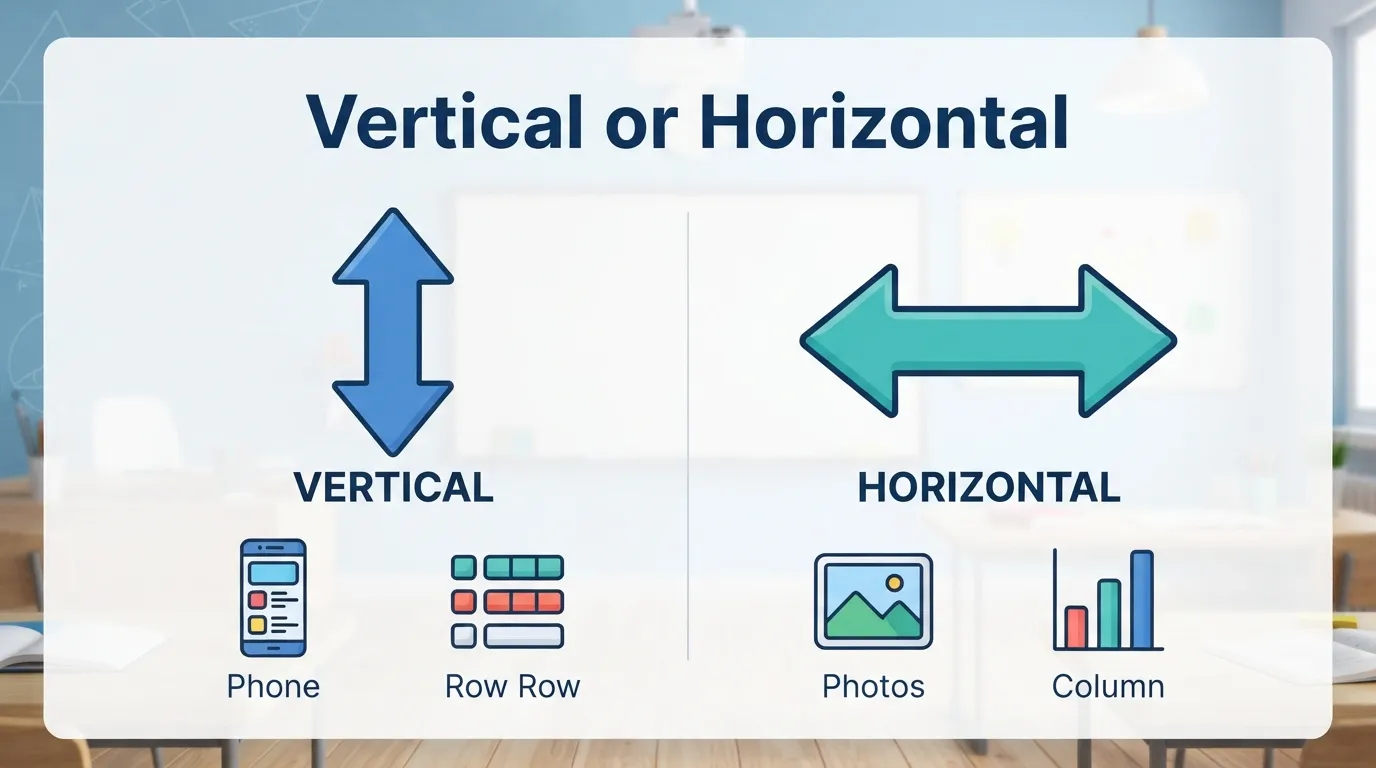
Vertical or horizontal means you are choosing between up-and-down direction and side-to-side direction. Vertical goes from top to bottom, while horizontal goes from left to right, like the horizon.
Have you ever taken a photo, opened a design tool, or changed a phone screen and wondered, “Should this be vertical or horizontal?”
I’ve seen this question many times with students, designers, content writers, and people editing images. The words are simple, but they can still feel confusing. That is because they are used in many places: math, screens, photos, videos, charts, signs, and web design.
A vertical line stands up and down. A horizontal line lies flat from side to side. Once you understand that difference, many other things become easier.
You can choose the right page layout. You can explain image orientation clearly. You can understand rows and columns. You can fix a screen that is turned the wrong way.
This guide explains vertical or horizontal in simple English. You will learn the meaning, differences, examples, common mistakes, and the best choice for writing, design, photos, videos, and daily use.
Vertical or Horizontal: Quick Answer
Use vertical when something goes up and down. Use horizontal when something goes side to side. Cambridge defines vertical as standing or pointing straight up at 90 degrees to a horizontal surface, while horizontal means parallel to the ground or the top or bottom edge of something.
Simple examples:
- A tree is vertical.
- A floor is horizontal.
- A phone held upright is vertical.
- A TV screen is usually horizontal.
- A column is usually vertical.
- A row is usually horizontal.
Easy rule:
- Vertical = up and down
- Horizontal = left and right
If you can picture a standing line, think vertical. If you can picture a flat line, think horizontal.
The Origin / Background of Vertical or Horizontal
The word horizontal is linked to the idea of the horizon, which is the line where the earth and sky seem to meet. Vertical points upward or downward at a right angle to that flat line. This makes the two words natural opposites.
Think of standing outside and looking far away. The line across the distance is the horizon. That line feels flat. That is the idea behind horizontal.
Now think of a tree, pole, wall edge, or person standing up. That direction is vertical.
Merriam-Webster defines vertical as upright or perpendicular to the horizon. That means vertical and horizontal are connected through direction and angle.
This pair appears in many subjects:
- Math
- Geometry
- Art
- Photography
- Web design
- Video editing
- Construction
- Charts
- Screen settings
Once you learn the basic direction, the rest becomes easier. A vertical photo is tall. A horizontal photo is wide. A vertical menu stacks items. A horizontal menu places items across the page.
Vertical or Horizontal Explained: Key Differences or Variations
The main difference is direction. Vertical goes from top to bottom. Horizontal goes from left to right. In design, vertical layouts often feel tall and narrow, while horizontal layouts feel wide and open. Both are correct, but they serve different purposes.
| Term | Meaning | When to Use | Context |
|---|---|---|---|
| Vertical | Up and down direction | Tall layouts, columns, phone screens, portraits | Design, math, screens |
| Horizontal | Side-to-side direction | Wide layouts, rows, banners, landscape images | Design, math, screens |
| Portrait | Taller than wide | Phone photos, documents, social stories | Image and page orientation |
| Landscape | Wider than tall | Videos, desktop screens, banners | Image and screen orientation |
| Column | Vertical arrangement | Lists, spreadsheets, page layouts | Writing and data |
| Row | Horizontal arrangement | Tables, charts, spreadsheets | Writing and data |
Merriam-Webster defines a column as a vertical arrangement of items on a page, which helps explain why columns are linked with vertical direction.
Examples:
- A spreadsheet column runs vertical.
- A spreadsheet row runs horizontal.
- A portrait photo is vertical.
- A landscape photo is horizontal.
- A website sidebar is often vertical.
- A top navigation menu is often horizontal.
These words are not only about lines. They also describe how things are arranged.
Which Version Should You Use?
Use vertical when your content needs height, focus, or a mobile-friendly layout. Use horizontal when your content needs width, space, or a landscape view. The right choice depends on the platform, purpose, screen size, and how the viewer will use the content.
Here is the best practical advice:
- For phone videos → use vertical for TikTok, Reels, Shorts, and Stories.
- For YouTube videos → use horizontal for regular long-form videos.
- For portraits → use vertical to show people clearly.
- For landscapes → use horizontal to show wide scenes.
- For website menus → use horizontal on desktop and vertical on mobile.
- For charts → use the layout that makes labels easier to read.
- For documents → use vertical pages for normal text and horizontal pages for wide tables.
Microsoft’s Windows support page also uses the screen terms portrait and landscape when explaining display orientation. It notes that changing to portrait may require physically rotating an external display.
Simple examples:
- Use a vertical poster for a phone screen.
- Use a horizontal banner for a website header.
- Use a vertical chart if you compare categories.
- Use a horizontal chart if category names are long.
The best choice is the one that makes the content easier to see.
Common Mistakes With Vertical or Horizontal
Most mistakes happen when people mix direction with size. Vertical does not simply mean big, and horizontal does not simply mean small. The words describe direction or layout. Another common mistake is confusing portrait with vertical and landscape with horizontal in every situation.
| Mistake | Correction | Why It Happens |
|---|---|---|
| A wide photo is called vertical | A wide photo is usually horizontal | Width is confused with height |
| A tall poster is called horizontal | A tall poster is usually vertical | Shape is misunderstood |
| A column is horizontal | A column is vertical | Rows and columns get mixed |
| A row is vertical | A row is horizontal | Table layout causes confusion |
| Vertical means portrait only | Vertical is a direction; portrait is an orientation | Related terms are treated as identical |
Mistake 1: Mixing rows and columns
Wrong:
The table has a vertical row.
Better:
The table has a horizontal row.
A row goes across. A column goes down.
Mistake 2: Calling every phone image vertical
A phone image can be vertical or horizontal. It depends on how the phone was held.
- Phone upright = usually vertical
- Phone turned sideways = usually horizontal
Mistake 3: Choosing layout without thinking about the viewer
A horizontal design may look good on desktop but weak on mobile. A vertical design may look great on a phone but not fit a wide screen.
Always ask:
Where will people see this?
Vertical or Horizontal in Real-World Examples
Vertical and horizontal appear in many everyday situations. You may use these words when talking about photos, videos, documents, screens, charts, furniture, signs, and website layouts. The meaning stays simple: vertical is upright, and horizontal is flat or wide.
Professional email example
Hi team,
Please create one vertical version for mobile ads and one horizontal version for the website banner.
This is clear because each layout has a different use.
Design example
The homepage uses a horizontal navigation bar on desktop and a vertical menu on mobile.
This is common in web design.
Social media example
Use a vertical video for Instagram Reels, but use a horizontal version for a YouTube upload.
This helps match the platform.
Math example
Draw one vertical line and one horizontal line. They should cross at a right angle.
This is a simple geometry use.
Formal document example
The report includes a horizontal table layout because the data has many columns.
This works when a table is too wide for a normal page.
Vertical or Horizontal: Data, Trends & Usage
The search intent behind “vertical or horizontal” is informational. Most readers want a quick visual difference. Some are working on photos, screens, charts, or design layouts. Others need a simple explanation for school, math, or English vocabulary.
People often search this phrase when they are:
- editing photos
- making social media posts
- fixing screen orientation
- learning geometry
- designing a logo
- creating a banner
- making a chart
- formatting a document
- building a website
This topic matters because layout changes how people read and view content.
A vertical layout often works better for mobile screens because phones are usually held upright. A horizontal layout often works better for TVs, laptops, website banners, and wide images.
The important point is not which one is “better.” The better choice depends on the use.
Ask these quick questions:
- Is the space tall or wide?
- Is the viewer on a phone or desktop?
- Is the content a person, scene, chart, or text block?
- Does the design need height or width?
- Will the layout be printed or shown on a screen?
A smart layout starts with the viewer.
Vertical or Horizontal Comparison Table
A comparison table makes the difference easier to remember. Vertical means up and down. Horizontal means side to side. Portrait is usually vertical. Landscape is usually horizontal. Columns run vertically. Rows run horizontally.
| Term/Variant | Meaning | Context | Best Used When |
|---|---|---|---|
| Vertical | Up and down | Lines, layouts, screens, photos | You need height or upright direction |
| Horizontal | Left to right | Lines, layouts, screens, photos | You need width or side-to-side direction |
| Portrait | Taller than wide | Photos, pages, screens | Showing people, phone content, documents |
| Landscape | Wider than tall | Photos, videos, screens | Showing scenery, banners, wide views |
| Column | Items stacked up and down | Tables, pages, spreadsheets | Organizing vertical data |
| Row | Items placed side by side | Tables, pages, spreadsheets | Organizing horizontal data |
FAQs About Vertical or Horizontal
Q: What does vertical or horizontal mean?
A: Vertical or horizontal is a direction choice. Vertical means up and down. Horizontal means side to side.
Q: How do you remember vertical and horizontal?
A: Think of a tree for vertical and the horizon for horizontal. A tree stands up. The horizon stretches across.
Q: Vertical vs horizontal: what is the difference?
A: The difference is direction. Vertical goes from top to bottom. Horizontal goes from left to right.
Q: Is portrait vertical or horizontal?
A: Portrait is usually vertical because it is taller than it is wide. It is common for phone photos, documents, and social stories.
Q: Is landscape vertical or horizontal?
A: Landscape is usually horizontal because it is wider than it is tall. It is common for videos, banners, TVs, and wide scenery photos.
Q: Are columns vertical or horizontal?
A: Columns are vertical. They go up and down, like columns in a spreadsheet or newspaper page.
Q: Are rows vertical or horizontal?
A: Rows are horizontal. They go side to side across a table, chart, or spreadsheet.
Conclusion
Now you know the difference between vertical or horizontal.
The rule is simple. Vertical means up and down. Horizontal means side to side. A tree, pole, or standing phone is vertical. A floor, table, row, or wide screen is horizontal.
Remember these easy pairs:
- Vertical = tall
- Horizontal = wide
- Portrait = usually vertical
- Landscape = usually horizontal
- Column = vertical
- Row = horizontal
Use vertical layouts when you need height, focus, or mobile-friendly viewing. Use horizontal layouts when you need width, space, or a wide scene.
The best choice depends on where your content will appear. A phone story, website banner, YouTube video, chart, and printed page may all need different layouts.
Now you know exactly how to use vertical or horizontal. Check your next photo, design, chart, or document and choose the direction that makes it easiest to understand.

Luqman Aleem holds a strong academic foundation in English language and linguistics. Luqman Aleem researches and writes in-depth comparisons of frequently misused words, drawing on formal grammar rules and real-world usage patterns to guide readers toward correct English.